
Convert your PDF file in minutes
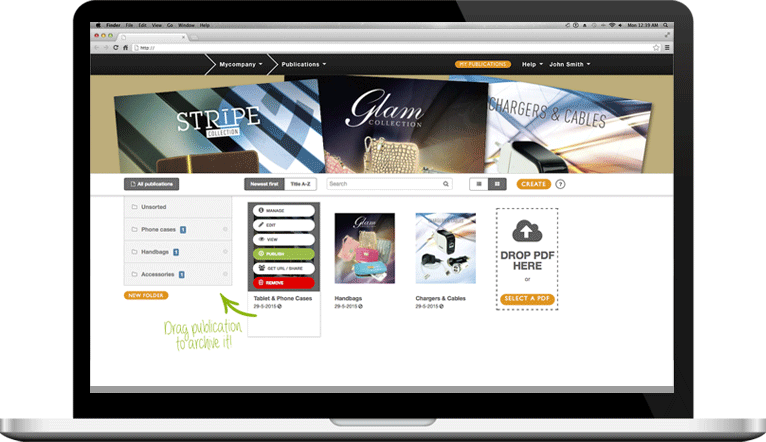
With the Publizr PDF file publishing software you can publish eBooks easily. Upload your PDF file and your page turning digital instruction guide is ready to add on your Facebook page in no time.
Learn more >
Do you want to add your instruction guides in a lifelike way on your Facebook page? Even if you have good-looking instruction guides you will not fascinate your visitors if you add a flat PDF copy on your Facebook page. A PDF file also has to be downloaded in full before it opens!
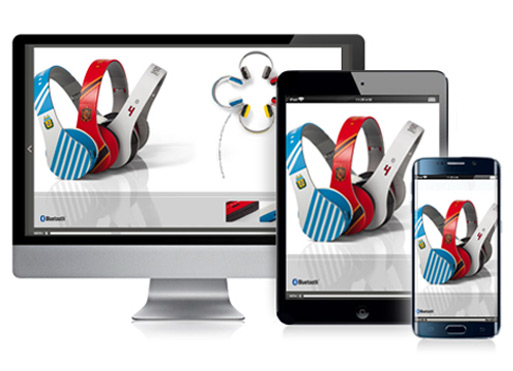
Publizr offers the most intuitive publishing software to convert your PDF file into a lifelike page turning digital instruction guide that opens immediately. In no time you can publish a responsive digital eBook and fascinate your visitors with an interactive experience with the smoothest-turning pages and functionality not available in your offline copy. For example, hyperlinks and internal links, including links to your online store. By adding a responsive online copy of your instruction guide on your Facebook page, your page turning digital instruction guide is always available for your visitors, viewable on desktops. Online instruction guide publishing made easy! You can even publish PDF files for FREE!
With the Publizr PDF file publishing software you can publish eBooks easily. Upload your PDF file and your page turning digital instruction guide is ready to add on your Facebook page in no time.
Learn more >
Offer your customers a lifelike experience. Enhance your page turning digital instruction guide with URL and page links, such as links to your web shop and YouTube videos. Results guaranteed!
Learn more >
Even on the biggest monitors and pages zoomed in, your text and illustrations are shown crystal clear without any pixelation occurring. No need to say that this will increase the reading experience of our visitors dramatically.
Learn more >
Outstanding qualityPublizr offers exceptional display quality. Your visitors can zoom in pages without text and illustrations becoming unsharp. 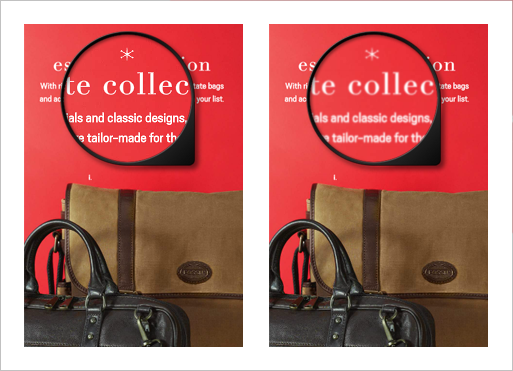
|
Multi-page flip effectYour visitors will love the smooth-turning pages as well as the lifelike flip effect when they are browsing several pages at once. 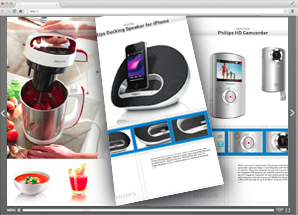
|
Modern menuThe intuitive, user-friendly navigation ensures a pleasant reading experience. Your page turning digital instruction guide gets full attention without distracting icons. 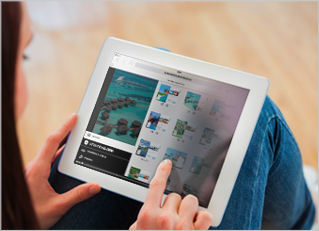
|
Upload PDF & GoYou're all set in minutes. After uploading your PDF file, your eBook is created instantly, with all detected URLs already made clickable for you! 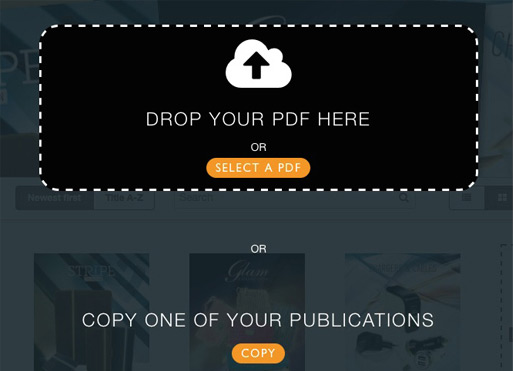
|
Simple Link EditorAdding hyperlinks and page links is a breeze with the intuitive editor. Just drag & drop frames and align them perfectly with the snap feature. 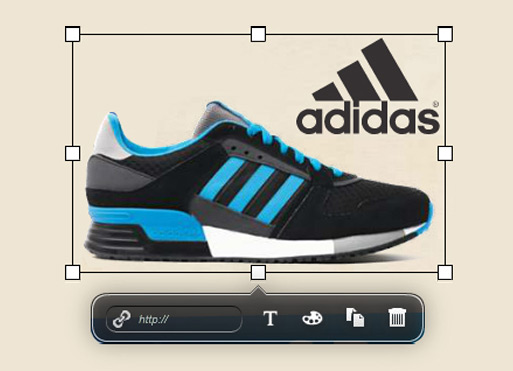
|
Mobile and desktops
|
Publizr is trusted by many brands you know and love, with clientele ranging from startups to large corporations in all types of industries. Our clientele have one common goal: convert flat PDF files into lifelike page turning digital instruction guides that open immediately and fascinate their clientele. Converting visitors into clientele as a result.
With our intuitive PDF file publishing software you can easily publish all kinds of digital publications: emagazines, online brochures and catalogs, responsive digital flyers and pamplets, eBooks, digital manuals, journals and newspapers and more. See some examples and discover how easily you can publish page turning digital instruction guides with the intuitive publishing software!









With the intuitive Publizr PDF file publishing software you can publish as many page turning digital instruction guides as you like. You can even publish eBooks for free! You can use your online publications for an unlimited period without additional bandwith or web host fees being charged. We use the best server networks so that your visitors all over the globe can view your publications as fast as possible.
Self publishing page turning digital instruction guides is easy! Create a free account without the need to enter your credit card details. Next, convert your PDF files and publish as many eBooks as you like and add them on your Facebook page. After your 14-day free trial period you can choose which premium or free plan is right for you.